Please follow the steps to download and install POGO or MHN.
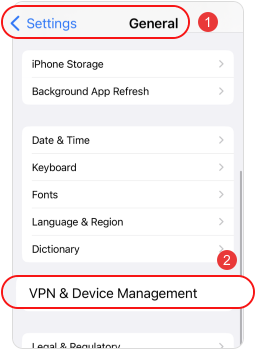
Install error?Step1:Go to Settings> General> VPN & Device Management on your iPhone.
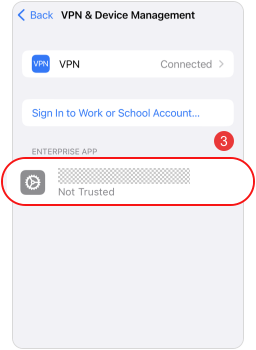
Step2:Find the trusted developer for this app.
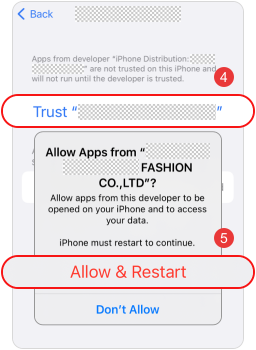
Step3:Tap "Trust." (iOS 18+ devices will restart automatically.)
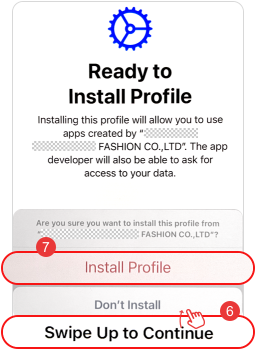
Step4:After the restart, swipe up on this page and tap "Install Profile."

1. If the app crashes immediately after launch: On your iPhone, go to Settings > Privacy & Security > Developer Mode. Turn on Developer Mode, then tap Restart. After your iPhone restarts, tap Turn On and enter your passcode to confirm.
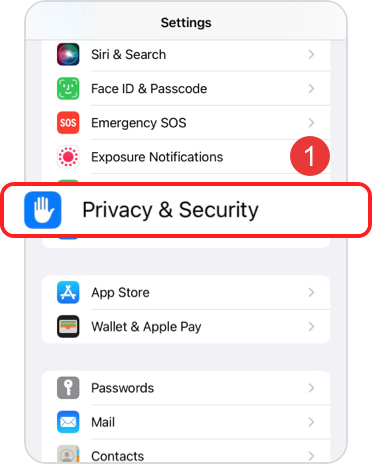
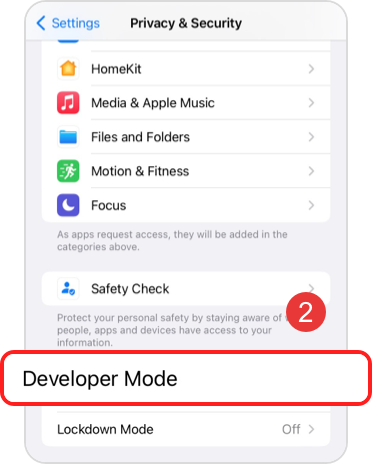
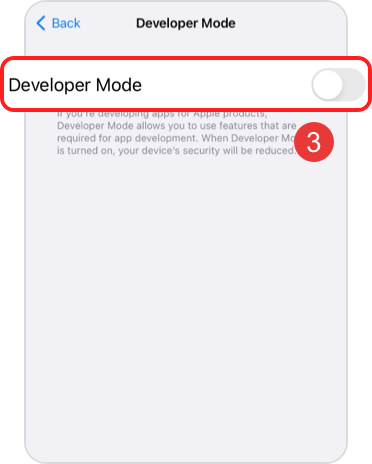
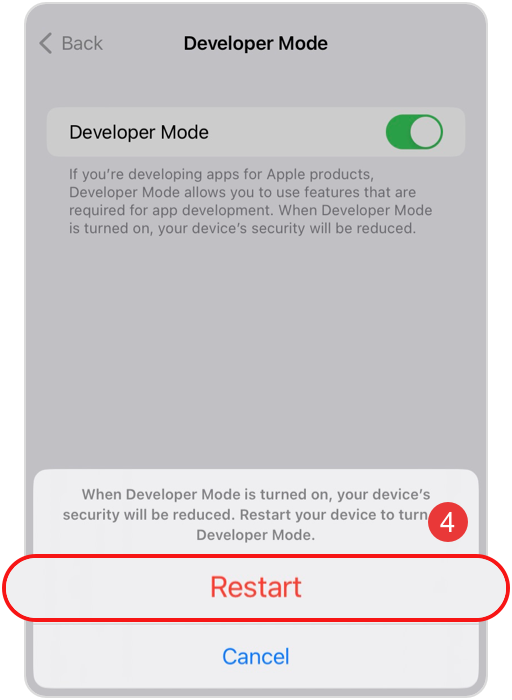
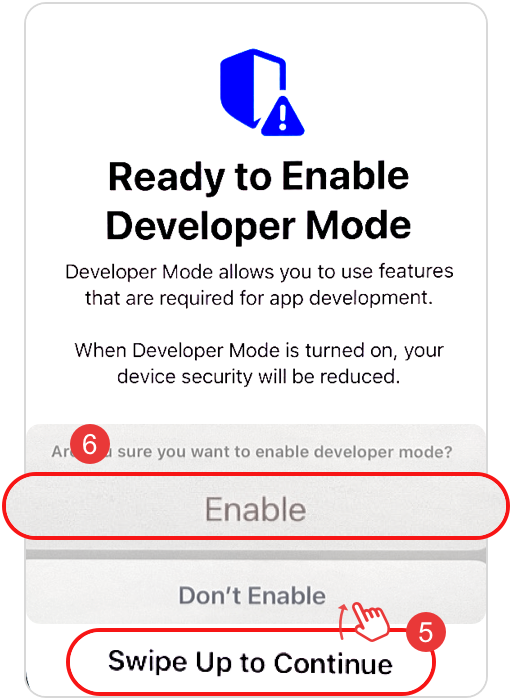
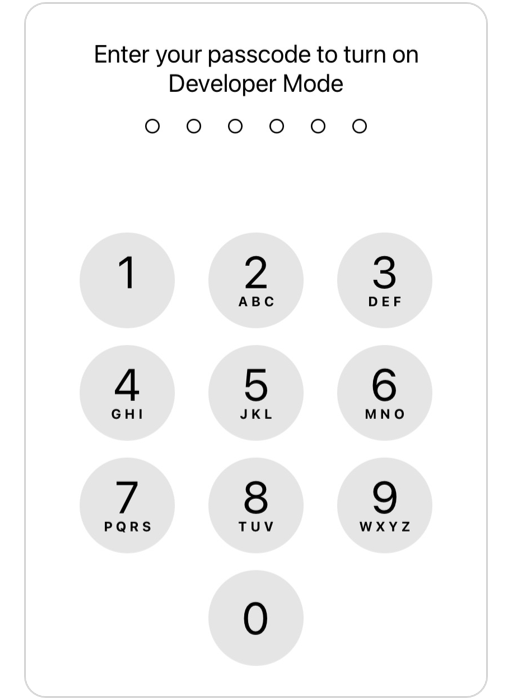
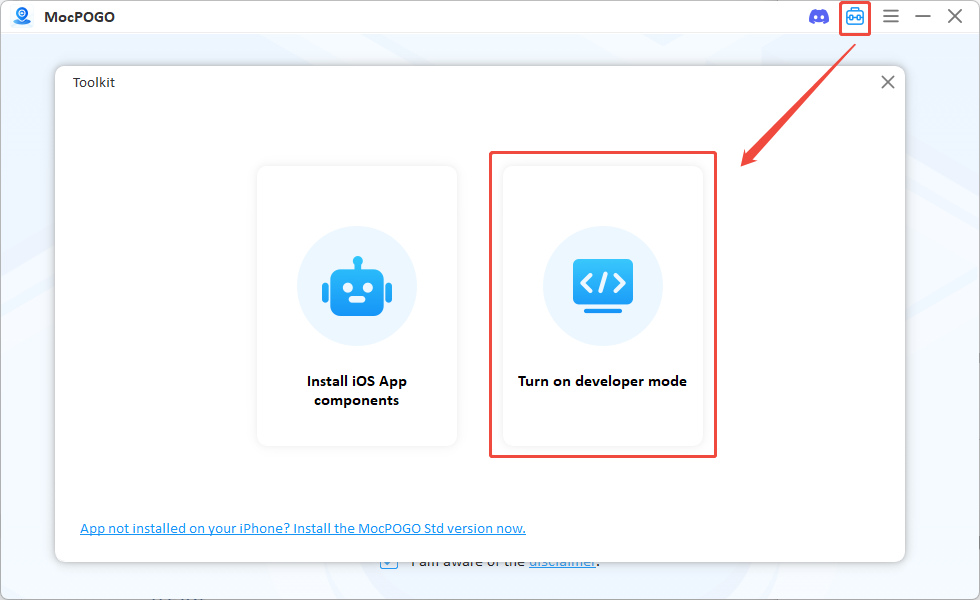
If you cannot find Developer Mode, download the desktop MocPOGO, click the [Tools] icon in the upper-right corner, then choose [Open Developer Mode].
2. Package error? Please uninstall the game and reinstall it.